
School Headphones for Chromebooks: A 2026 Classroom Audio Guide
Chromebooks are now central to many 1:1 and cart‑based programs. The right classroom audio gear helps students stay focused, supports speech‑based assignments, and keeps digital testing fair and distraction‑free. Below you’ll find practical selection tips and a curated list of popular Chromebook‑compatible school headphones, headsets, and earbuds—with options for different grades and budgets.
Chromebook Compatibility: TRRS vs USB vs USB‑C
Most Chromebooks use a 3.5mm TRRS port (single plug for audio + microphone). Newer models may rely on USB‑C. If students need to speak (language learning, test recording, hybrid lessons), choose a headset with a mic that matches your port type.
| Connection Type | Best For | What to Look For |
|---|---|---|
| 3.5mm TRRS (single plug) | Most Chromebooks, tablets, laptops | Single 4‑pin plug, durable cord, noise‑reducing mic |
| USB‑A | Older laptops/desktops, labs | Plug‑and‑play, inline controls, classroom durability |
| USB‑C | New Chromebooks/iPads/Android tablets | USB‑C end, comfortable fit, mic clarity |
Popular Chromebook‑Ready Audio Options

School Headphone LH‑313
Durable, budget‑friendly stereo headphone for labs, audiobooks, testing, and daily Chromebook use.
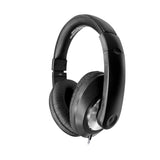
Smart‑Trek Deluxe Headphones
Comfortable, classroom‑ready on‑ear headphone with inline control—popular in 1:1 programs.
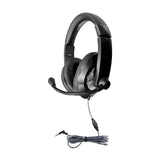
Smart‑Trek Deluxe Stereo Headset (with Mic)
Great for language learning, speech activities, and hybrid classrooms needing clear mic pickup.

E3 Earbud with Mic
Compact, easy‑storage earbuds with inline mic—ideal for older students and mobile carts.

Sony Stereo On‑Ear Headphones with Mic
Simple TRRS all‑in‑one option for Chromebook listening + speaking activities.

Sony Stereo Headphones with Mic
A flexible classroom headset alternative when you need straightforward mic support without extra setup.

TWT Audio Victory 250XG Gaming Headset
Student‑friendly gaming‑style headset that works well for STEM, esports clubs, and multimedia projects.

EDU‑255 USB On‑Ear Stereo Headset
USB plug‑and‑play headset for labs or desktop stations needing consistent audio + mic performance.

Koss CS200 USB Headset
Clear voice capture and dependable sound—popular for language labs and online assessments.

USB Multimedia Headset with Mic
Comfort‑first USB headset for audio‑heavy lessons and extended Chromebook sessions.

Mach‑2 Multimedia Stereo School Headset
Classroom‑durable multimedia headset for interactive learning, video, and speech tasks.

HamiltonBuhl Flex‑Phone TRRS Headset (Gooseneck Mic)
Soft, highly durable TRRS headset for younger learners. Includes gooseneck mic and anti‑lice storage bag.

USB School Testing Headset
Designed for secure, consistent audio during digital assessments and standardized testing sessions.
Where These Chromebook Headsets Shine
- Language Learning & ESL: Mic‑equipped headsets help with pronunciation and recording tasks.
- Standardized Testing: Consistent audio ensures fairness and reduces distractions.
- Hybrid / Remote Learning: Clear mics support student participation and teacher feedback.
- Multimedia Lessons: Keeps students on task during video, audiobook, and interactive app work.
Need Help Selecting the Right Fit?
Every classroom is different. If you’re unsure which port types or styles your students need, our team can recommend a solution that matches your devices, grade levels, and budget.
School Headset Buying Guide • Submit a Purchase Order • Contact Us
Quick FAQ
Do TRRS headsets work with Chromebooks?
Yes—most Chromebooks accept a single 3.5mm TRRS plug for audio + mic.
Are USB‑C headsets necessary?
Only if your device fleet is USB‑C‑only. Many schools keep both TRRS and USB‑C on hand.
Can schools buy in bulk?
Absolutely. We offer volume options and accept purchase orders nationwide.
0 comments