


Key Takeaways: USB vs. 3.5mm Headsets for Schools
- USB headsets are best for computer labs and platforms that rely on consistent digital audio + mic performance.
- 3.5mm headsets are best for mixed-device environments (Chromebooks, tablets, older PCs) and simple plug-and-play setups.
- For speaking tests and video calls, you’ll usually want a headset with a microphone (not just headphones).
- For listening-only assessments, headphones (no mic) can reduce cost while keeping audio consistent.
- Choosing the right connector type (USB / TRRS / USB-C) can prevent last-minute testing day compatibility issues.
USB vs. 3.5mm Headsets: How to Choose for Classrooms
If you’re buying classroom headsets for digital learning, language labs, or testing season, one decision impacts everything: USB or 3.5mm? It affects device compatibility, IT support load, student setup time, and how reliably microphones work.
Quick Answer (30 seconds)
- Choose USB if your students primarily use desktops/laptops (Windows/Mac) and you want consistent audio + mic performance.
- Choose 3.5mm (TRRS) if your school uses multiple device types or you need a universal option that’s easy to deploy.
Step 1: Identify Your Device Ecosystem
Start with the devices students actually use day-to-day. Many schools operate a mixed environment (Chromebooks + tablets + some desktops). That’s why connection type matters.
Mostly Desktops / Laptops
USB is usually the cleanest choice (consistent digital audio + mic).
Mostly Tablets / Mobile
3.5mm TRRS (or USB-C where required) is usually the safest bet.
Mixed Devices
3.5mm TRRS is the most universally compatible for large deployments.
USB School Headsets
USB headsets connect digitally and can help standardize audio performance across computers. This is especially useful when you want consistent microphone behavior for language learning, speech practice, or video conferencing.
USB is a strong fit when:
- Your environment is computer-based (labs, carts, testing stations)
- You need reliable mic performance for speaking prompts
- You want to reduce “why is the mic not working?” troubleshooting
Recommended USB Collections
Browse our USB school headphones & headsets collection to match the right model to your grade level and use case.
Featured USB Picks (Examples)
1) Califone 2021MUSB Deluxe Stereo Headset
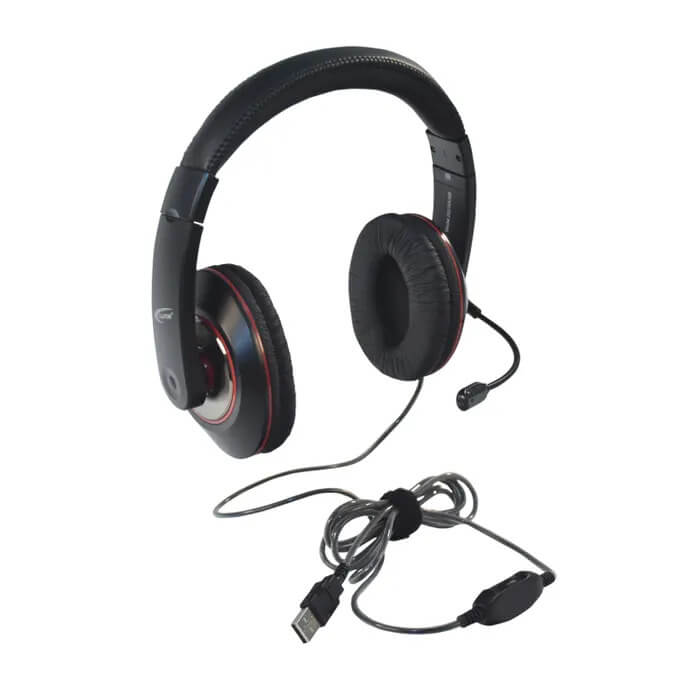
- USB connection for consistent setup on computers
- Adjustable mic for clear voice pickup
- Classroom-ready construction
2) USB Stereo Headset with In-Line Volume Control (NC-255VM USB)

- In-line volume control for quick student adjustments
- Good fit for labs and daily computer-based learning
3) USB Over-Ear Stereo Headset (NC-455VM USB)

- Over-ear design for better focus in busy rooms
- Strong option for speaking assessments + longer sessions
Best Practice Tip (USB)
Standardize by room or program. For example: use USB headsets in the language lab and computer testing rooms, while deploying 3.5mm models elsewhere for maximum flexibility.
3.5mm School Headsets
3.5mm headsets are popular because they’re simple and broadly compatible. They’re especially useful when devices vary across classrooms, grades, or buildings.
3.5mm is a strong fit when:
- Your school uses mixed devices (Chromebooks, tablets, older PCs)
- You want easy deployment with minimal IT overhead
- You need the most budget-flexible option for bulk rollouts
TRS vs TRRS (Important!)
If you need a microphone, confirm the plug type:
- TRS (2 rings) = audio only
- TRRS (3 rings) = audio + microphone (common on many education devices)
Featured 3.5mm Picks (Examples)
1) Advanced School Headset (3.5mm)

- Broad compatibility across many devices
- Strong value for classroom sets
2) TRRS School Headset with In-Line Microphone
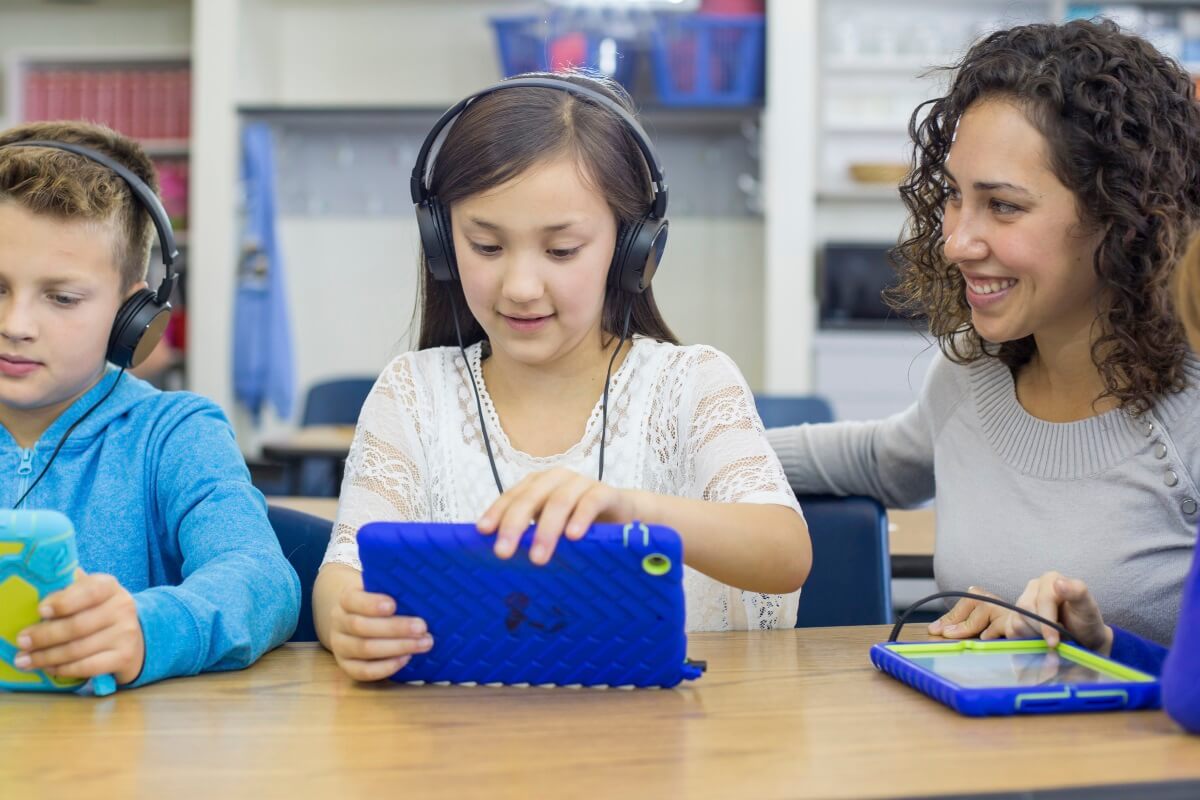
- TRRS plug supports mic on many modern devices
- In-line mic is simple for younger students (no boom to adjust)
3) Smart-Trek™ Deluxe Headphones (Blue Accents)
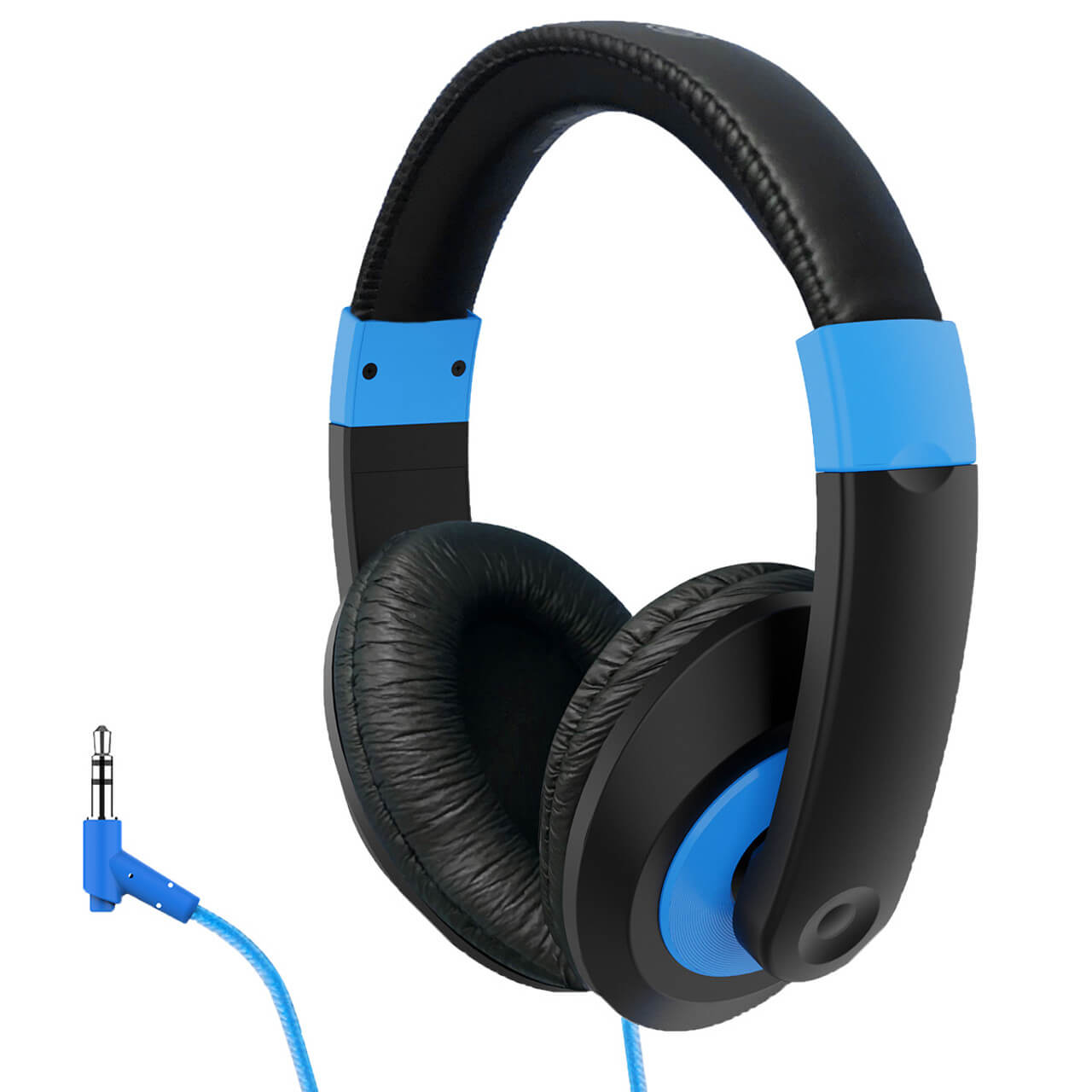
- Comfortable fit for extended learning blocks
- Good option for general listening activities
USB vs 3.5mm: Comparison Table
| Feature | USB Headsets | 3.5mm Headsets |
|---|---|---|
| Best Use | Computer labs, speaking tests, consistent setup | Mixed devices, easy deployment, broad compatibility |
| Compatibility | Devices with USB ports | Devices with 3.5mm jack (confirm TRRS if mic required) |
| Setup | Usually plug-and-play; standardized labs are ideal | Fastest plug-and-play across device types |
| Mic Reliability | Often very consistent on computers | Depends on TRRS support + device jack configuration |
| Budget Strategy | Use in specialized rooms/programs | Ideal for large rollouts and classroom sets |
How to Choose Based on Your Use Case
Standardized Testing (Listening-Only)
- Headphones without a mic can be sufficient if the test requires listening only.
- Prioritize: comfort, durability, and device compatibility.
Speaking Tests, Language Learning, Online Presentations
- Choose a headset with a microphone (USB or TRRS).
- Prioritize: microphone clarity, stable connection, easy student setup.
Elementary Classrooms
- Prioritize: easy fit, simple controls, durable cord management.
- Consider in-line mics (simpler than adjustable boom mics for younger students).
Maintenance & Storage (Helps Reduce Replacement Rates)
- Use hooks, racks, or labeled bins to prevent cord tangles and strain at the plug.
- Teach students to unplug by holding the connector (not pulling the cord).
- For shared gear, consider hygiene accessories and easy-to-clean materials.
Need Help Choosing?
Tell us your device type (Chromebooks, iPads, PCs), whether you need microphones, and your quantity. We’ll recommend the best-fit options and help with bulk quotes or purchase orders.
Explore: USB school headphones | Classroom headsets | School Headphone Buying Guide
FAQ: USB vs. 3.5mm Headsets for Schools
Which is better for Chromebooks: USB or 3.5mm?
It depends on your Chromebook model and your testing/learning platform. Many schools choose 3.5mm TRRS for broad compatibility. If your Chromebooks support stable USB audio and you want standardized mic performance, USB can be a great fit.
Do I need TRRS for a microphone?
Yes—if you’re using a 3.5mm connection and need a microphone, confirm the headset uses TRRS (audio + mic). A standard TRS plug supports audio only.
What should schools buy for speaking tests?
Choose a headset with a microphone. USB headsets are often ideal for computer labs, while TRRS 3.5mm headsets can work well in mixed-device environments. The key is matching the plug type to the device and platform requirements.
Are USB headsets harder to manage for large deployments?
Not necessarily. USB can be easier when the environment is standardized (same OS + same device type). If your district has multiple device types, 3.5mm TRRS may reduce compatibility questions across classrooms.
How do we reduce breakage and replacement?
Use consistent storage (hooks/bins), teach plug-safe handling, and select models designed for classroom use. If multiple students share devices, build in cleaning routines and hygiene accessories where appropriate.
Can we get a bulk quote or use a purchase order?
Yes. If you share your quantity, device type, and whether microphones are required, we can recommend the best fit and help with bulk pricing and POs.