

Classroom Audio in Action · Product Spotlight
A student listens to an explanation, records a response, and plays it back. What happens next may be the most useful part: noticing where the explanation becomes unclear—and trying again.
That small cycle is the starting point for this product spotlight. Rather than choosing a headset only for the next assessment, consider how it could support the ordinary work of learning: rehearsing, explaining, questioning, and revising.
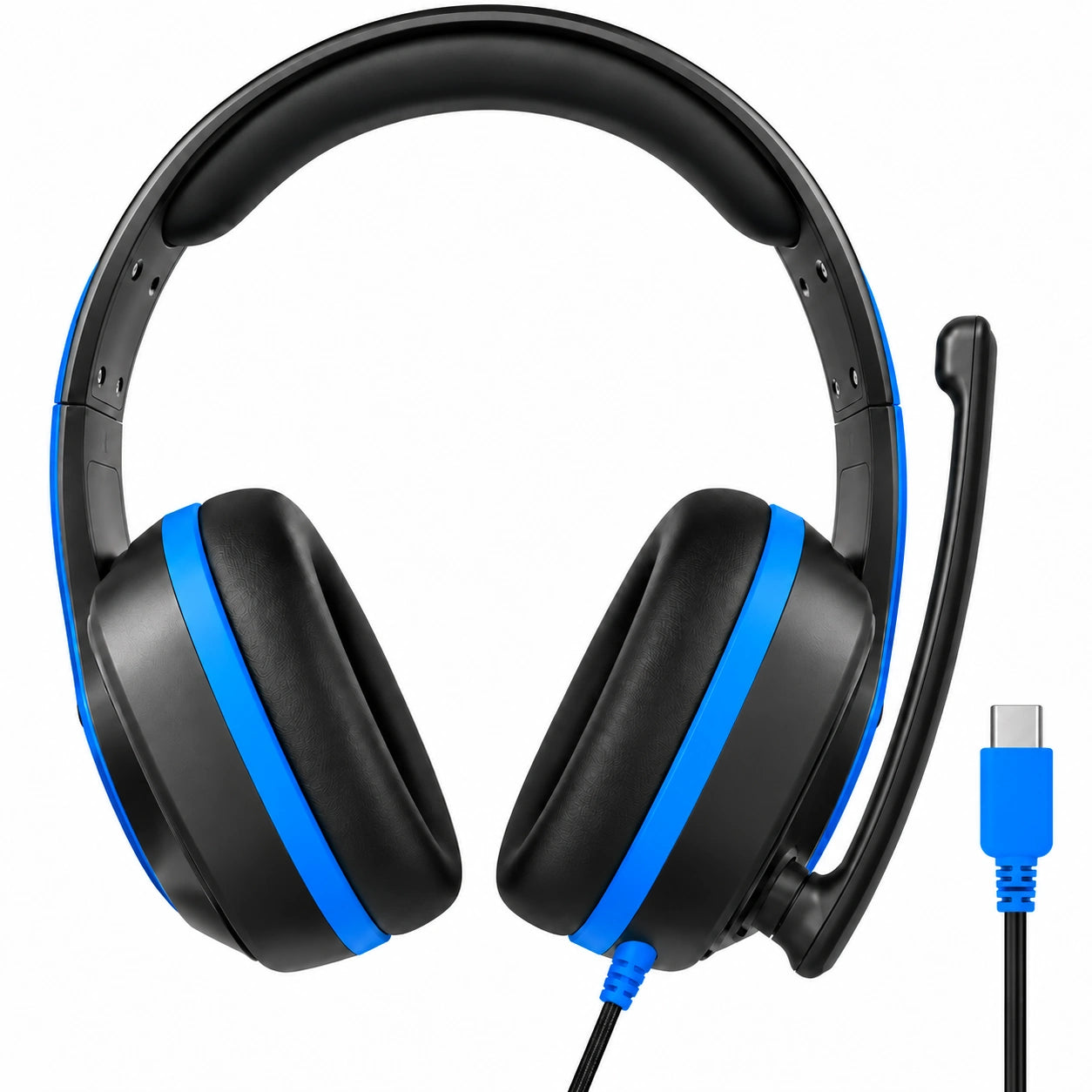
The quick answer: The TWT Audio REVO TW330 is a wired, over-ear USB-C headset with a boom microphone. It is worth considering when students need both listening and recording on compatible devices. For listening-only assignments, a simpler headphone may be sufficient.

About this overview: Learning Headphones sells this product. Product details come from the linked retailer and manufacturer information; the activities below are suggested lesson ideas, not results from a hands-on classroom trial.
What makes the TW330 relevant to classroom work?
The TW330 product listing describes a USB-C connection carrying listening audio and microphone input, swivel earcups, and modular cushions and cable construction. Raising the microphone boom activates mute.
Those features raise useful questions for a school: Can students switch comfortably between listening and speaking? Can they recognize when the microphone is muted? Can staff maintain worn components rather than immediately replacing the entire unit?
The answers depend on your students, devices, and maintenance routines. The manufacturer’s REVO information provides additional context about the platform.
1. Turn a reading recording into a revision exercise
Try this: Ask students to record a short, familiar passage using a school-approved recording tool. On playback, have them choose one sentence where a pause, emphasis, or change of pace would help communicate meaning. Then record that sentence again.
Keep the task focused. “Make the character’s question sound like a question” gives students something concrete to work toward.
What to collect: The original sentence, the revised version, and a brief explanation of what changed.
The headset supplies a way to listen and speak. The instructional value comes from the comparison and the student’s explanation—not from simply making a recording.
2. Build a language practice station around one conversational goal
Try this: Give students a short scenario: asking for directions, welcoming a visitor, or clarifying an unfamiliar word. They listen to a model, record a response, and revise one part.
Choose one goal per session, such as making a request understandable or using a new phrase appropriately. Avoid asking students to judge every aspect of their speech at once.
What to collect: A short response and a reflection: “What would help my listener understand me?”
For planning a larger station or lab, our language lab headset guide covers connection types, shared equipment, and maintenance considerations.
3. Use a “museum audio label” instead of a long presentation
Try this: Have students create a 45–60 second audio explanation for a classroom exhibit: a historical object, a model ecosystem, a piece of artwork, or a geometric construction.
Give each recording three jobs:
- Identify what the visitor is looking at.
- Explain one detail the visitor might miss.
- Leave the visitor with a question.
Students can exchange recordings and flag any sentence that needs more context. A teacher-approved recording can accompany the exhibit through the school’s chosen sharing method.
What to collect: A concise script, a source note, and the final recording.
This is an approachable introduction to audio storytelling. Follow school rules for student recordings and sharing, particularly if the exhibit will be available outside the classroom.
4. Make a STEM explanation audible
Try this: After building a model or completing a coding task, students record an explanation of one decision: “We changed this because…” or “Our first prediction was…”
A useful prompt is: Explain the reasoning someone cannot see by looking at the finished work.
For example, a student might describe why a bridge design needed another support, or why a program checks one condition before another.
What to collect: A photograph or screenshot of the work and a short spoken explanation.
Audio can accompany a diagram, written response, or physical model. Offer an appropriate alternative when recording or wearing a headset does not suit a learner’s needs.
5. Rehearse an interview—and practice listening to the answer
Try this: Students prepare three questions for a fictional character, a historical figure researched through reliable sources, or a partner discussing a class project.
Have partners take turns using the recording station. After listening back, each interviewer writes one follow-up question based on what the speaker actually said.
What to collect: The original questions and the new follow-up.
The interesting part is the shift from reading a question list to responding thoughtfully. For fictional or historical interviews, clearly distinguish sourced information from imagined dialogue.
Before buying a class set, try this short pilot
A headset that fits a purchasing checklist still needs to work in the actual lesson.
| Check | What to try | What to note |
|---|---|---|
| Device connection | Connect to each device model you plan to use | Does playback and microphone input work? |
| Recording workflow | Open the actual app under a student account | Are permissions, saving, and playback available? |
| Microphone routine | Record with the boom lowered, then raised | Can students recognize and control mute? |
| Classroom conditions | Make a short recording during a typical activity | Is the voice understandable amid nearby speech? |
| Fit and comfort | Try it for the intended lesson length | Do students report pressure or difficulty positioning it? |
| Storage and care | Practice returning, inspecting, and cleaning it | Can staff manage the routine between users? |
A USB-C connector alone does not establish compatibility with every device or application. Use our USB-C headset compatibility guide as a planning resource, then verify the exact setup.
For formal assessments, also check the assessment provider’s current equipment requirements.
When a different solution makes more sense
Students only need to listen. Compare a listening-only model such as the ERGO TW103 USB-C headphones. A microphone adds little value if the curriculum never uses it.
Your devices use different ports. The REVO family also includes 3.5mm TRRS and USB-A headset configurations. The Learning Headphones buying guide helps compare connection types and use cases.
Students are recording a group conversation. A shared microphone and quiet recording space may suit the assignment better than one personal headset. Start with how many people need to speak at once.
You need quieter listening. Do not equate a noise-reducing microphone with active noise cancellation for the listener. Microphone performance and the sound a student hears are separate considerations.
Plan for the day after the lesson, too
Replaceable components are useful only when a school has a workable replacement process. Before ordering, confirm compatible parts, current availability, and who will handle maintenance.
Label equipment, give cables a consistent storage location, and set aside damaged units for inspection. Follow manufacturer-approved care instructions; our school headphone cleaning guide can help you plan the broader routine.
Quick questions about the TW330
Does the TW330 record audio by itself?
No. It provides a microphone and listening audio; a compatible device and recording application handle recording, saving, and playback.
Can it be used for student podcasts?
It is an option to trial for individual narration and spoken segments. Test the recording in your intended room and software before committing to a project.
Is it a good choice for every student?
Fit and preferences vary. Try a sample with intended users and provide alternatives where needed.
How is this different from choosing headphones for teachers?
The focus here is student activity design and classroom routines. For staff calls, planning time, and other adult uses, see our headphones for teachers guide.
Start with one task worth hearing twice
Choose a lesson where listening to an explanation again could lead to a useful change. Try a small pilot, collect student feedback, and see whether the recording routine earns its place in your classroom.
If the TW330 matches that workflow, explore the product details. For a larger deployment, request a school quote with your device models, student age range, and intended activities so compatibility and quantities can be discussed together.


